
01 Describe your page
Use the ai-ui-designer skill.
Design a product-poster tool with a product name, selling points, a size selector, a generate action, and a results grid.
Example task: tell your assistant what the page needs to do.
Free design workflow · Codex / Claude Code
Turn your brief into SVG wireframes and UI designs you can review before you build. The free UI Skill works from your own requirements, with no scene pack needed.
No sign-in to download. Static SVG output. Your coding assistant and model usage are separate.
One brief. A layout you can refine.
Describe the page, review its structure, then work on the visual details.
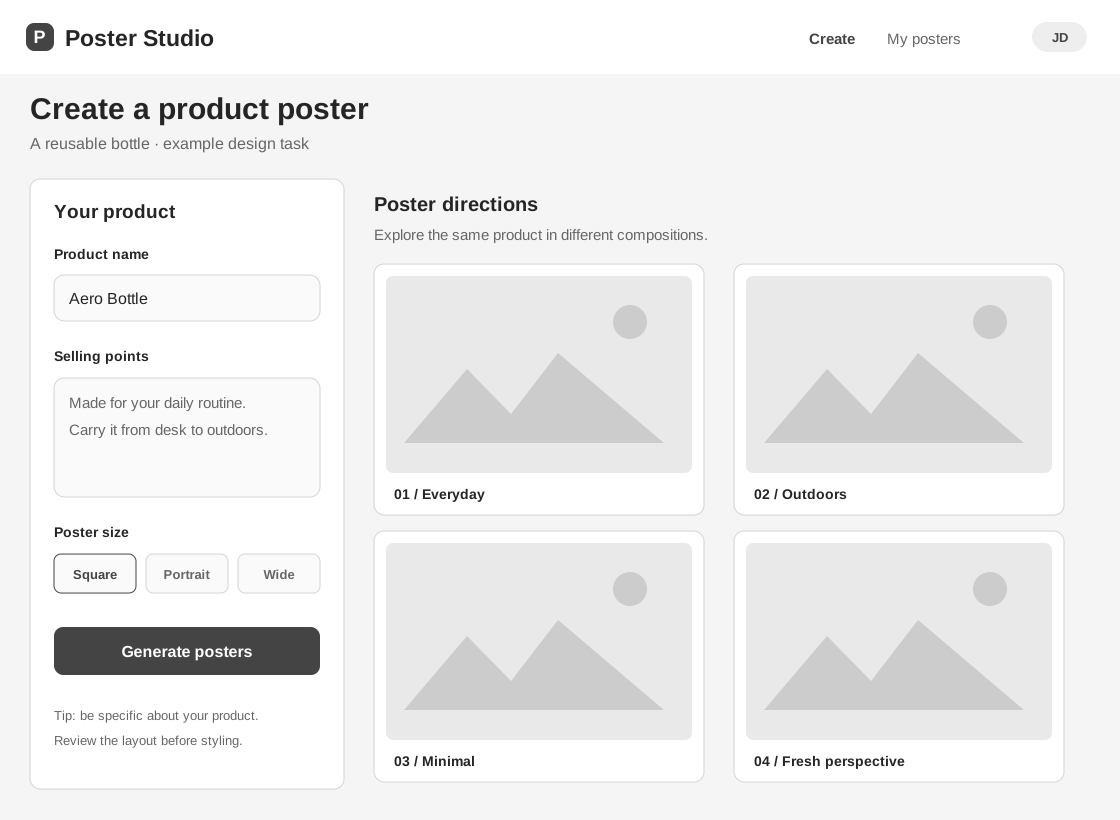
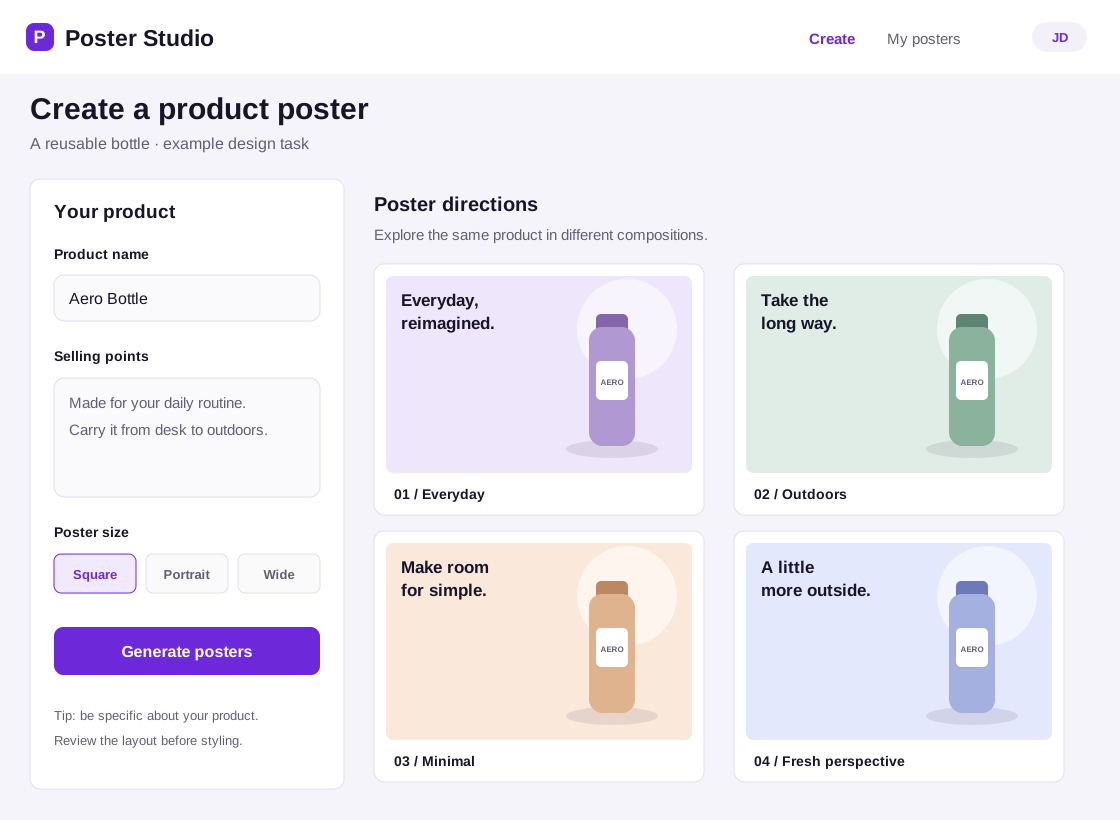
This product-poster example shows the free UI Skill workflow without a paid scene pack. Both SVG files are available to inspect: the same fields, actions, and results carry through from wireframe to visual design.
Use the ai-ui-designer skill. Design a product-poster tool with a product name, selling points, a size selector, a generate action, and a results grid.
Example task: tell your assistant what the page needs to do.
Download and unzip the package. Use an existing Codex or Claude Code environment, then place the ai-ui-designer folder in the matching skills directory.
Keep SKILL.md directly inside the ai-ui-designer folder. The download includes the design instructions, references, and helper scripts.
Check that the ZIP has not added an extra nested folder.
Select the Skill in your assistant and describe a page, its audience, and its main action.
Codex: $ai-ui-designer
Claude Code: /ai-ui-designer

Design an SVG wireframe for my product homepage with a value proposition, features, and a sign-up action.
Review the generated file in an SVG viewer or browser. Ask for a specific change, such as clearer headings or more space around the main action.
If the UI Skill is not listed, check the folder path and SKILL.md. Codex detects changes automatically; if it still does not appear, restart Codex. In Claude Code, check the / menu.
Use your own coding assistant and model access. Local scene-pack helpers require Python 3.9 or later; optional website pack downloads require an active paid subscription.
Use the UI Skill to organize page hierarchy, content blocks, form fields, and actions in a grayscale wireframe.
Adjust typography, spacing, colors, and artwork while keeping the layout you have already approved.
Continue your task with concrete feedback. Keep the design files in your project and revise them as requirements become clearer.
The UI Skill includes wireframing, colored UI design, theme application, and local pack management. Start directly from your own brief.
Scene packs are optional design references. You can use the free workflow without downloading one.
The output is SVG design files and design guidance. Buttons drawn in the design do not run sign-in, payment, or image generation.
Building the application is a separate development task. Your assistant’s availability and model usage follow that tool’s own terms.
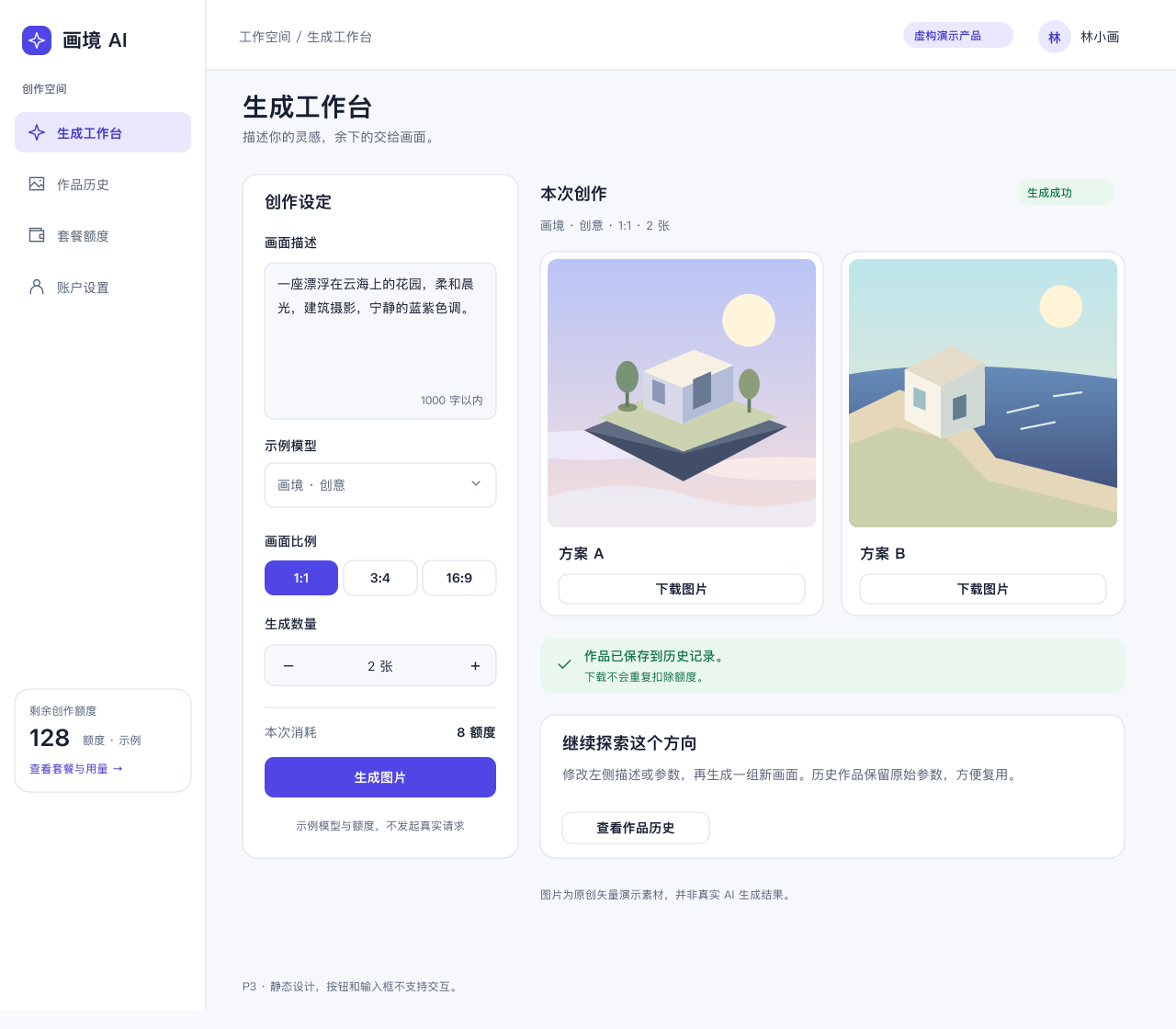
Explore the included pages, themes, and design resources on the pack’s detail page.
Optional resource. Website downloads require an active paid subscription; the Skill itself remains free.
Download the free UI Skill, install it in your coding assistant, and turn your brief into a layout you can inspect and refine.