
Editable SVG sources
Change text, shapes, and layout in the supplied source files. Keep your task-specific revisions separate from the original pack.
AI image SaaS scene pack · Editable SVG
An AI Image Generator UI Kit for developers and founders designing an image SaaS product. Start with connected screens, then use the free AI UI Designer Skill in Codex or Claude Code to adapt the layout, content, and theme.
Included with an active paid subscription. No credits deducted.
Static SVG designs · Chinese sample copy · No application code
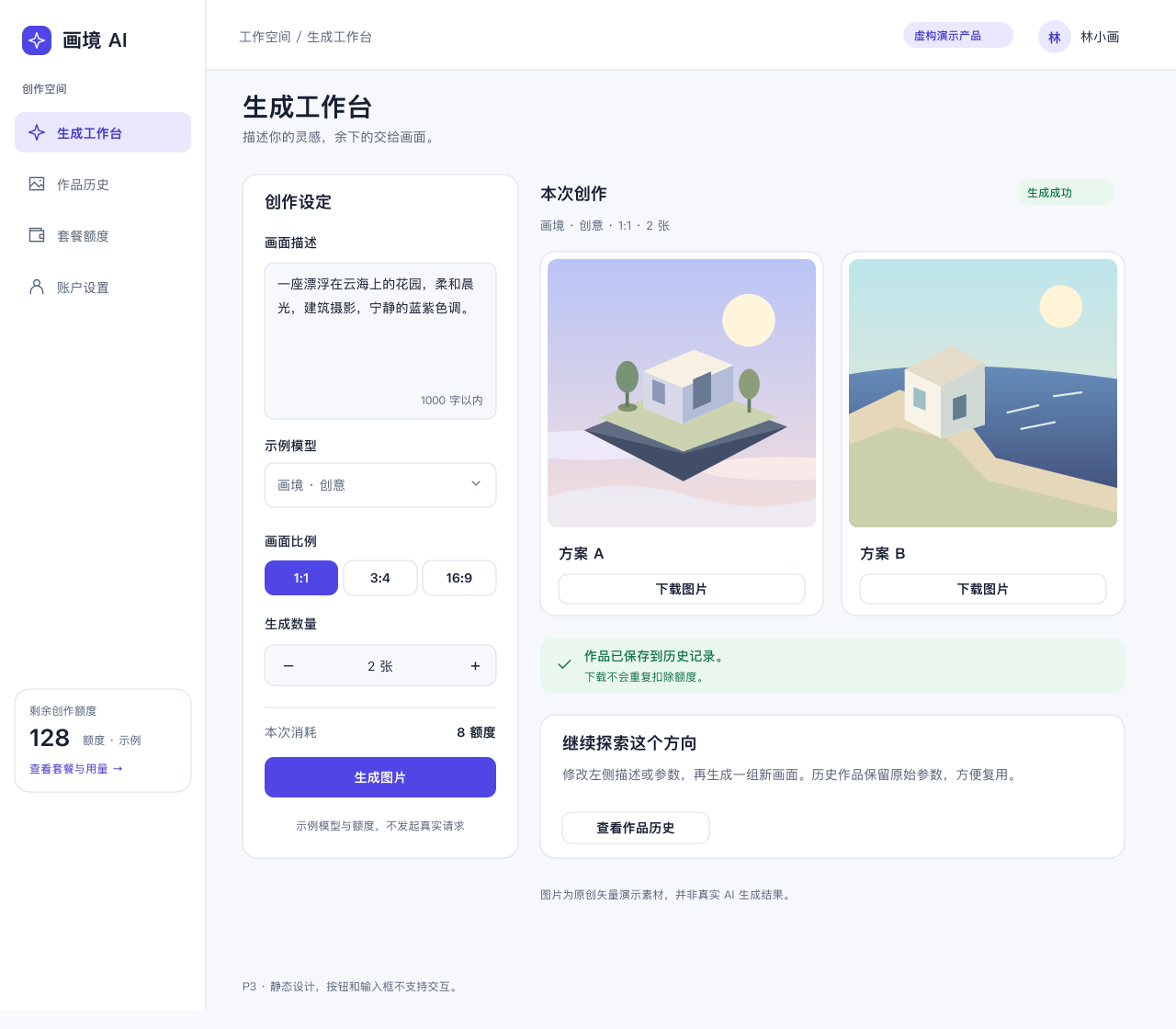
Review the page set before downloading. Every desktop page includes a grayscale wireframe, a light design, and a dark design. The same product flow connects your generation experience to history, billing, and account settings.
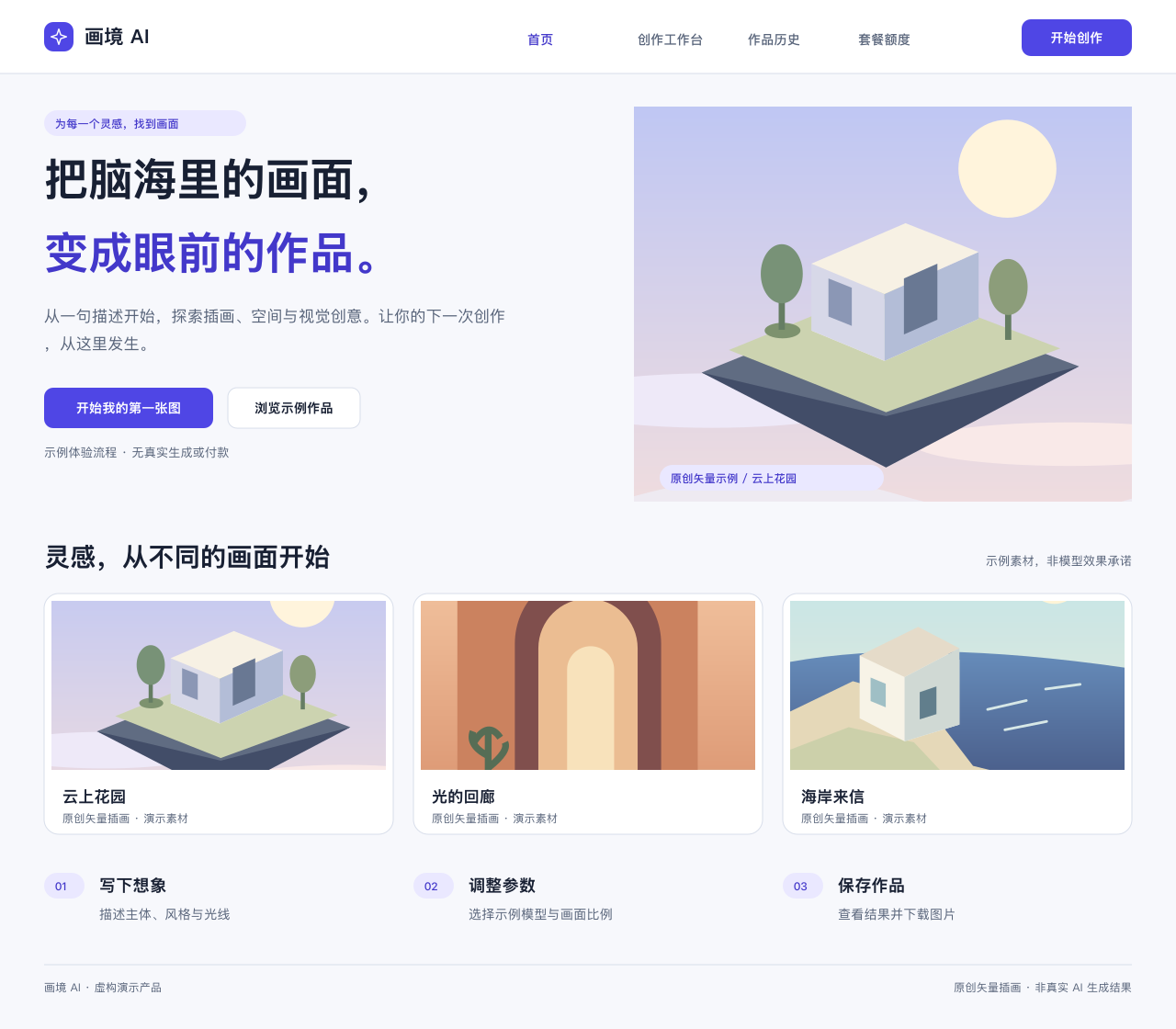
Introduce the product, show example artwork, and place the generation entry in context.
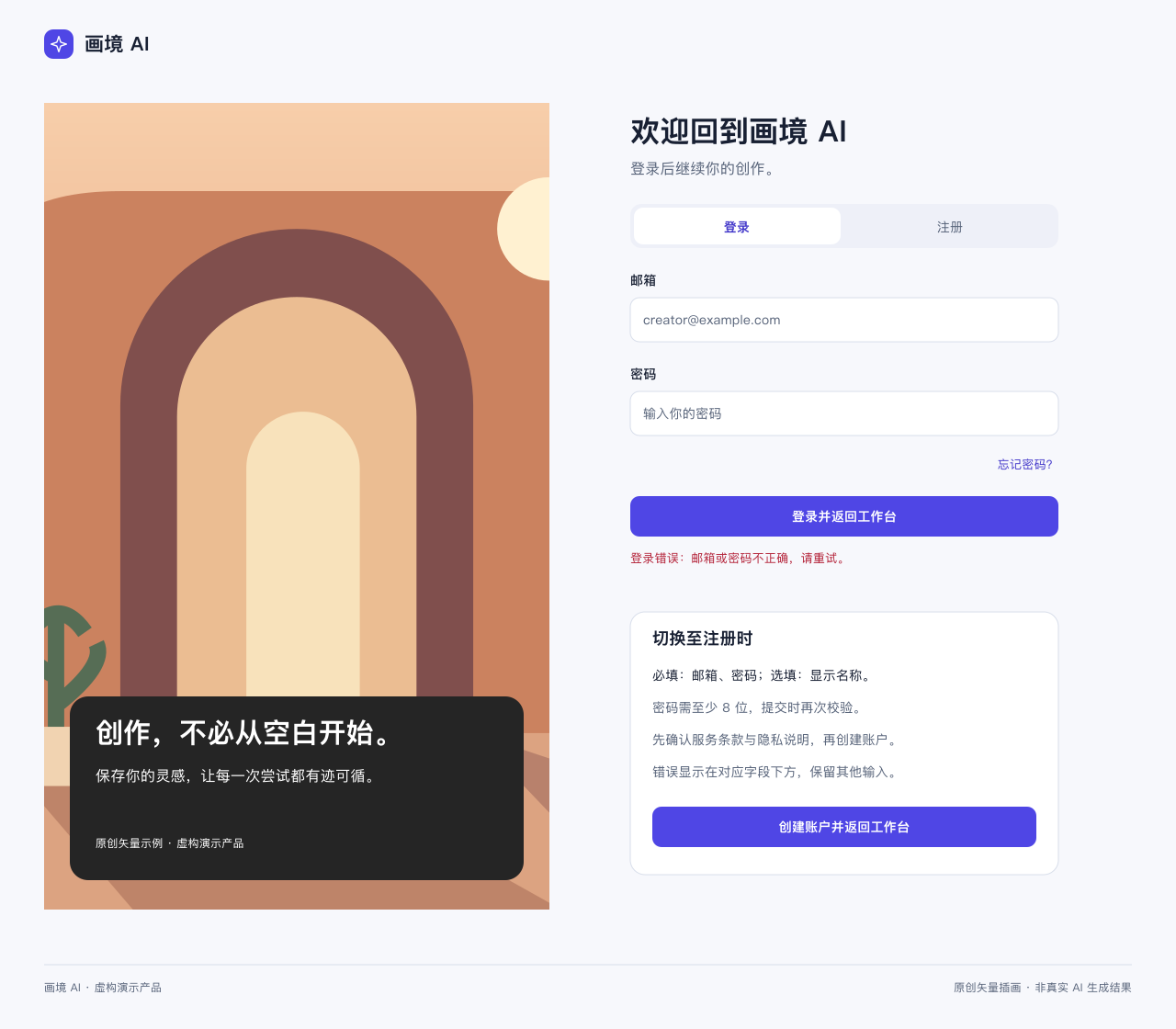
Plan authentication screens and review registration fields on the state board.
Arrange the prompt, model, aspect ratio, image count, credit cost, and results.
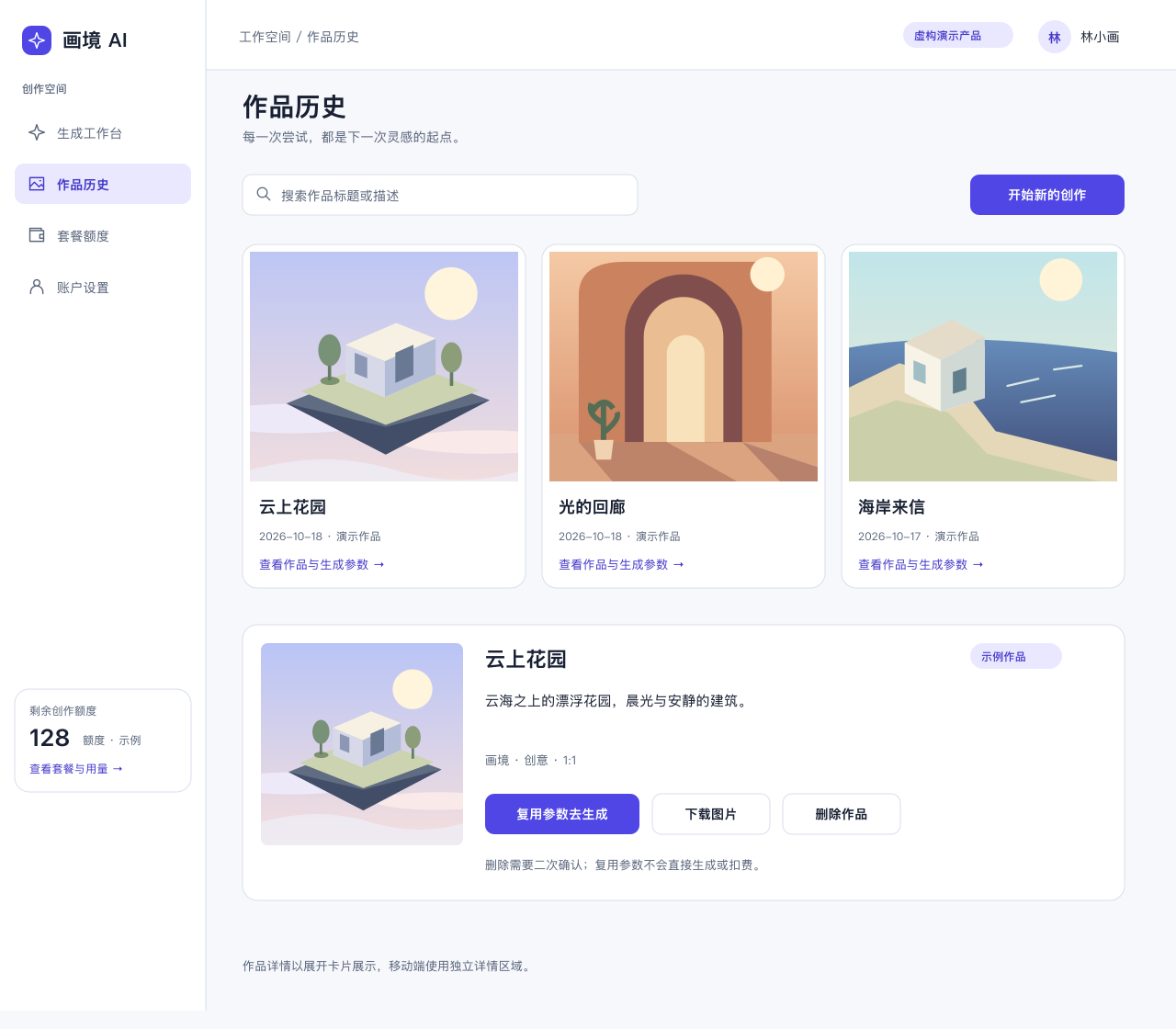
Explore saved works, search, inspect details, reuse parameters, and confirm deletion.
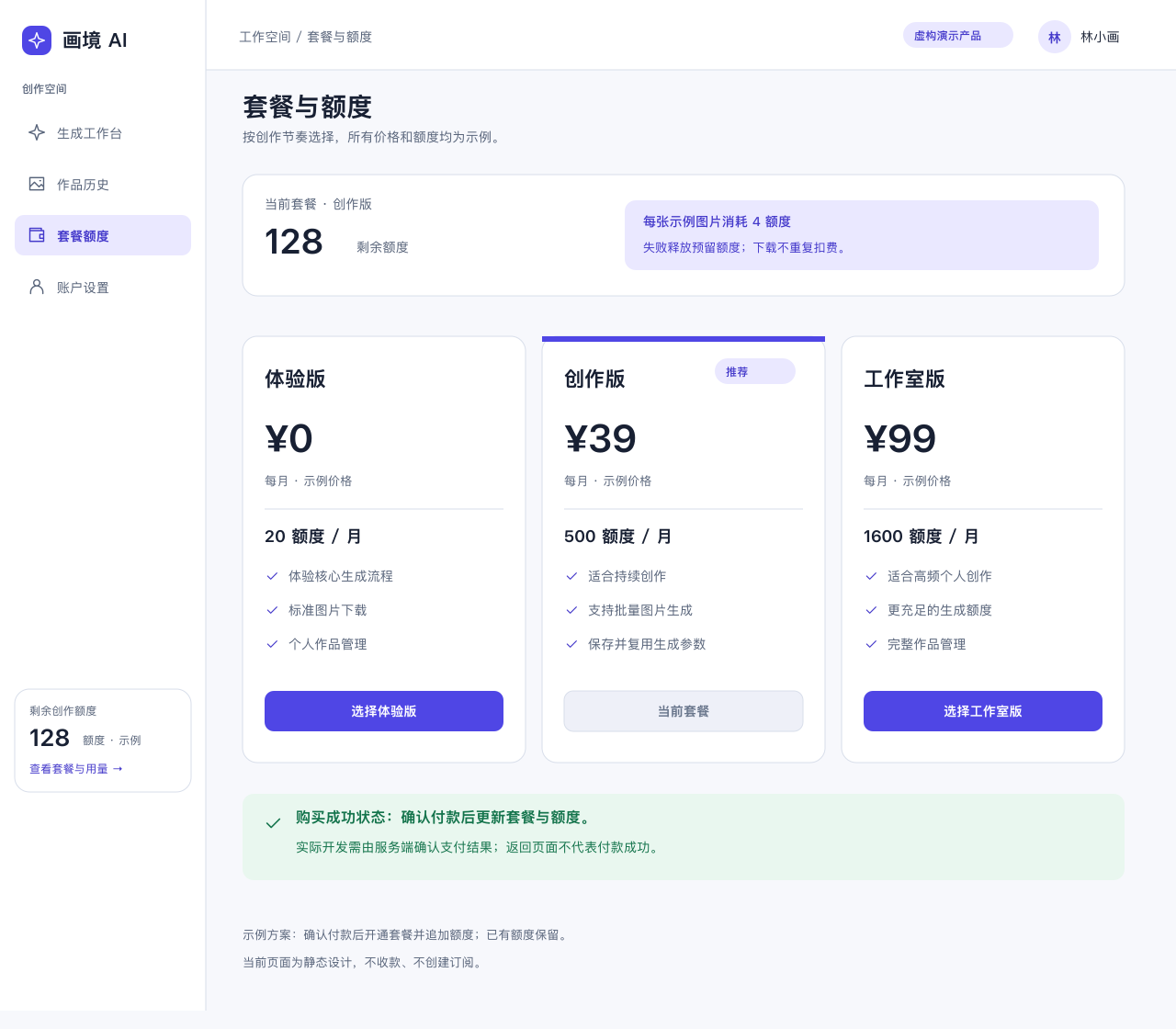
Review the current balance, example plans, and purchase-result designs.
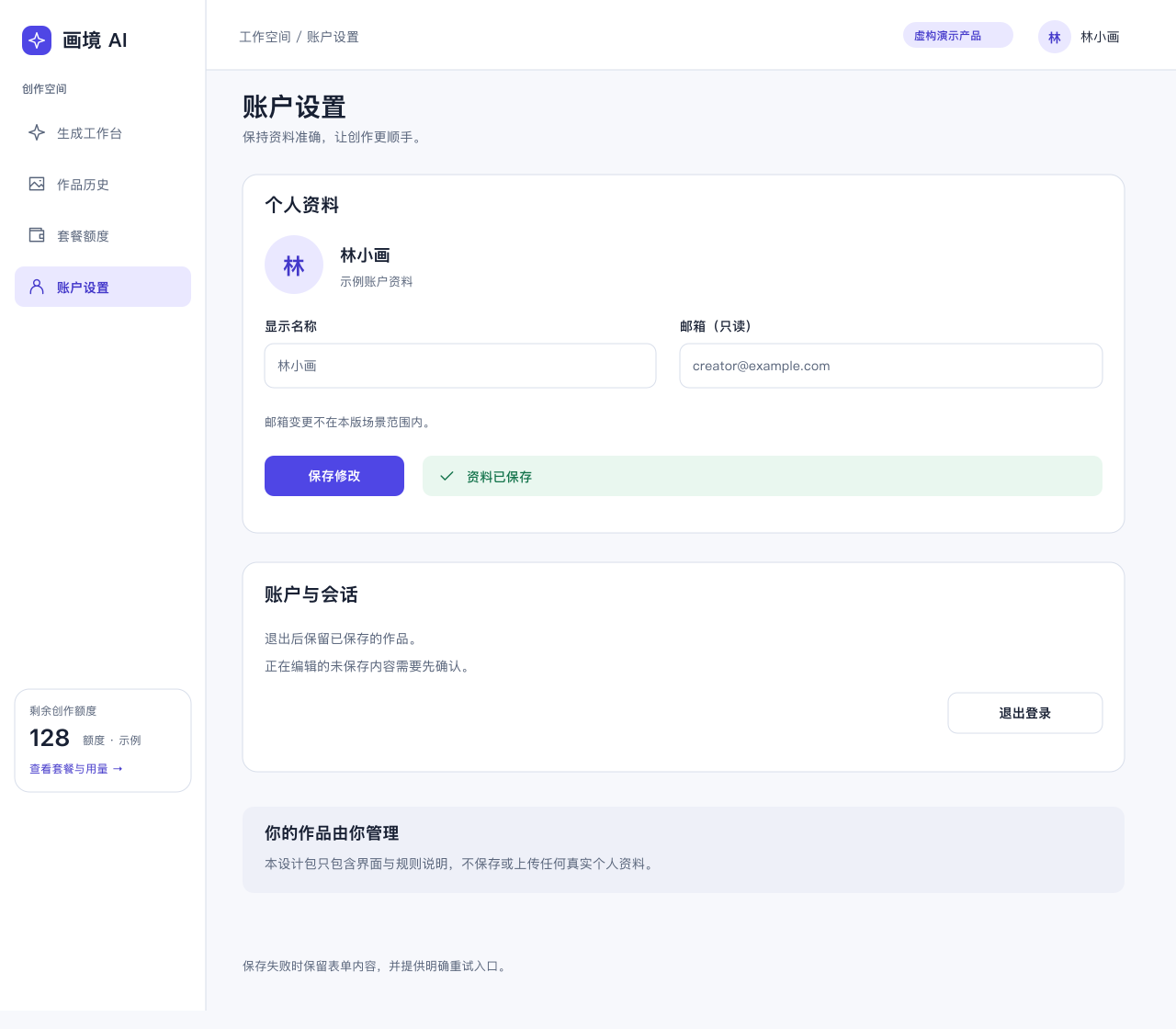
Edit profile details, review save feedback, and locate the sign-out action.
Included screens contain Chinese sample text and fictional product data. All controls shown are static designs.
The ZIP combines editable screen designs with the resources needed to keep related pages consistent.
Change text, shapes, and layout in the supplied source files. Keep your task-specific revisions separate from the original pack.
2 theme JSON files accompany the page designs. Grayscale frames help you review hierarchy before refining the visual style.
Reference buttons, inputs, selectors, cards, and dialogs. State boards cover generation, empty history, insufficient credits, login errors, and payment failures.
Workbench and history layouts are drawn at 390px. Scenario notes describe mobile behavior for the remaining pages; those pages have no separate mobile drawings.
Use the pack with the free Skill. Pack import helpers require Python 3.9 or later.
Sign in with an active paid AI UI Designer subscription. Scene-pack downloads do not use your generation credits.
Install AI UI Designer Skill in Codex or Claude Code. Give the assistant the downloaded ZIP path and ask it to import the pack.
Choose a theme, describe your changes, and inspect the resulting SVG. Continue revising the working files without overwriting the original resources.
Use the image-generation scene pack in a dark theme. Design a product-poster workbench with a product name, selling points, and poster sizes.
The free Skill provides the design workflow. This optional pack adds a ready-made image SaaS reference.
What you receive and how download access works.
Bring your image SaaS flow into focus with the AI Image Generator UI Kit: editable screens, shared themes, and key interface states. Preview the designs, then download the pack with your active paid subscription.
Download scene packIncluded with an active paid subscription. No credits deducted.